How do I log out of my Unacademy account?
To log out of your Unacademy account, please refer to the steps mentioned below.
On the Unacademy app:
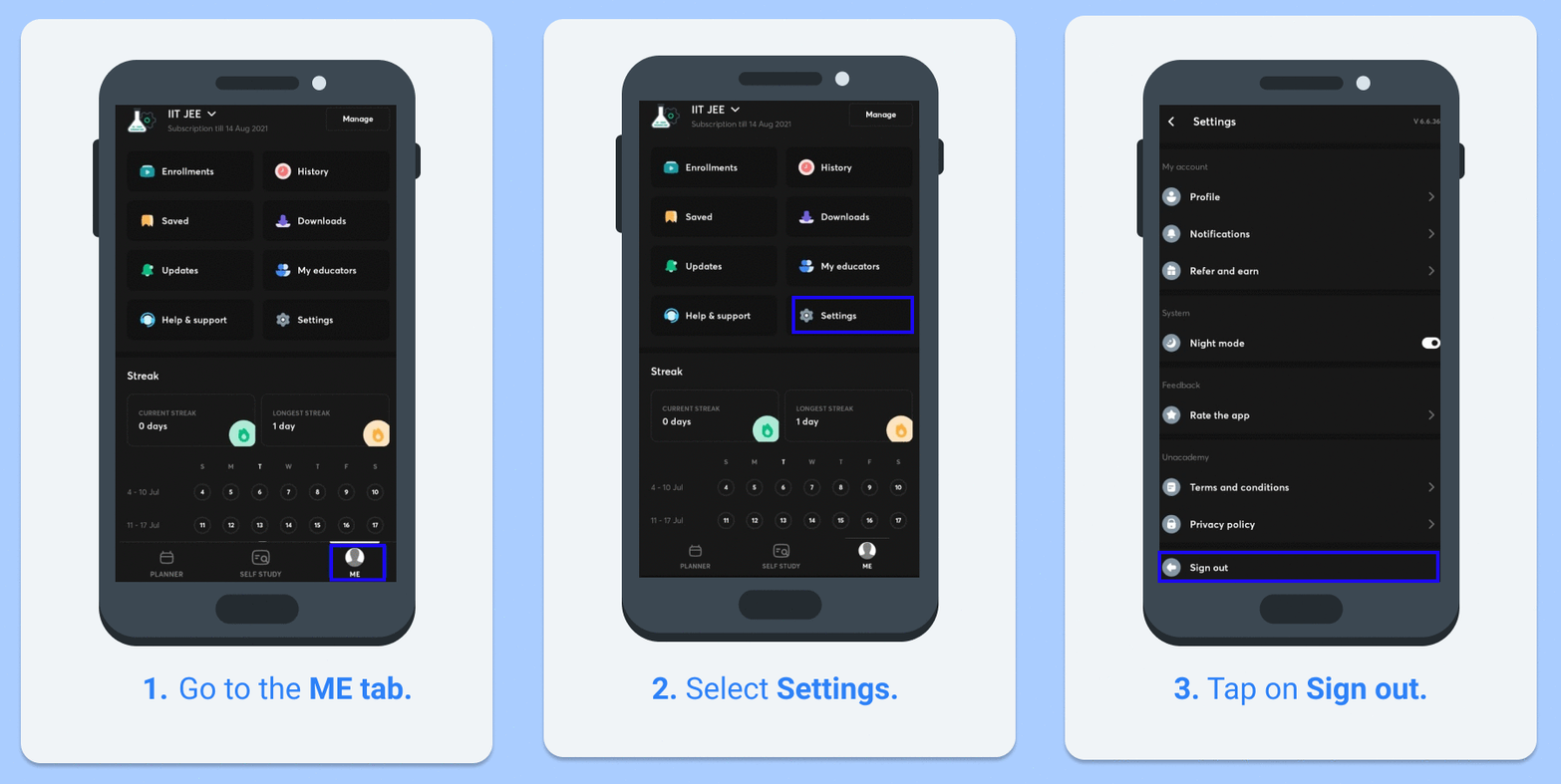
1. Go to the ME tab at the bottom-right side of the app.
2. Tap on Settings>Sign out.
3. You will be logged out of your account.
Please refer to the GIF for a better understanding:
On the Unacademy website:
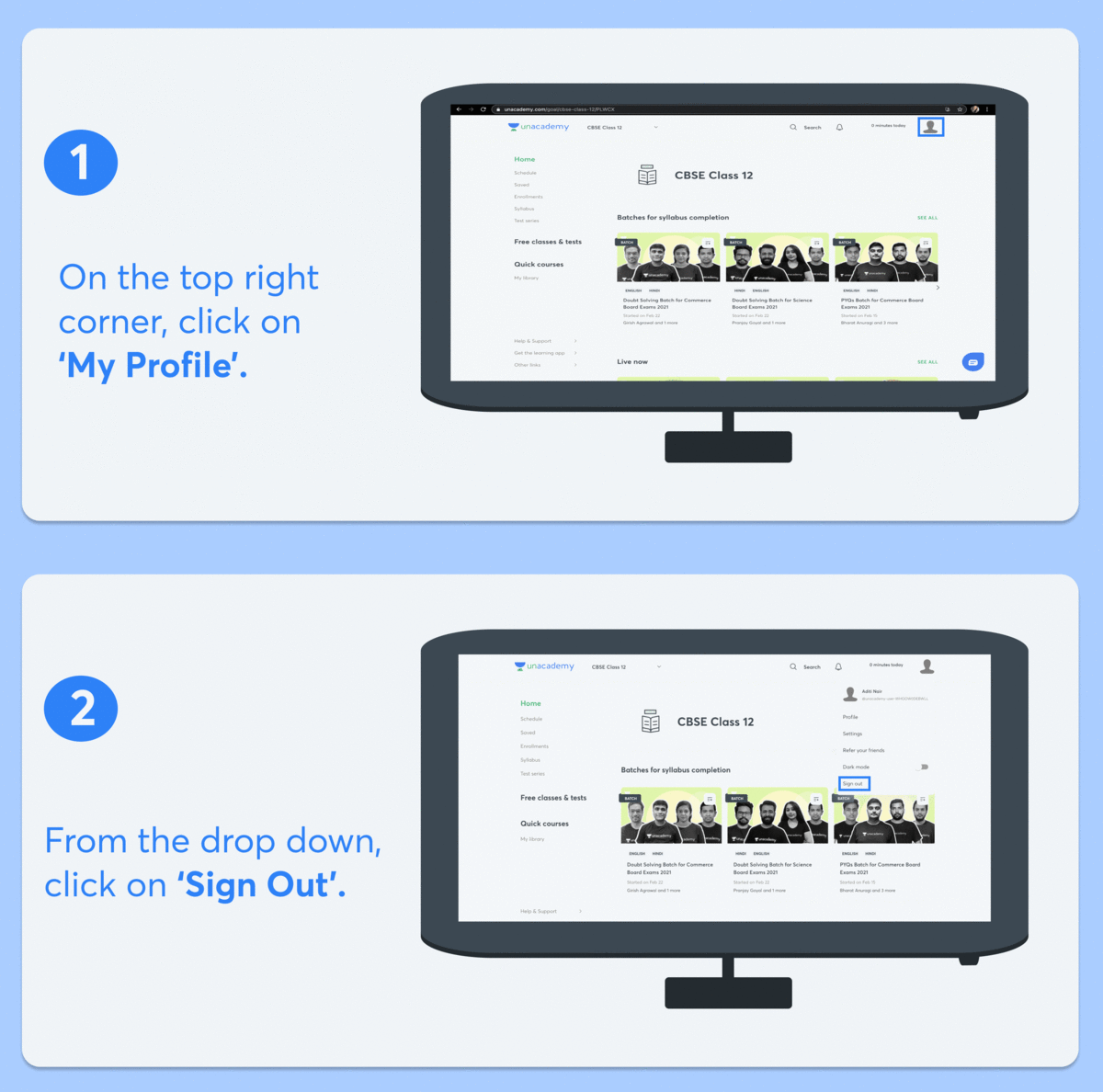
1. On the top right section of the website, click on your account.
2. Click on Sign out.
3. You will be logged out of your account.
Please refer to the GIF for a better understanding: