

Buffering Issue in Live Class/Recorded Lecture
If you have been facing buffering issues, please follow the steps mentioned below to solve it.
For Live Classes:
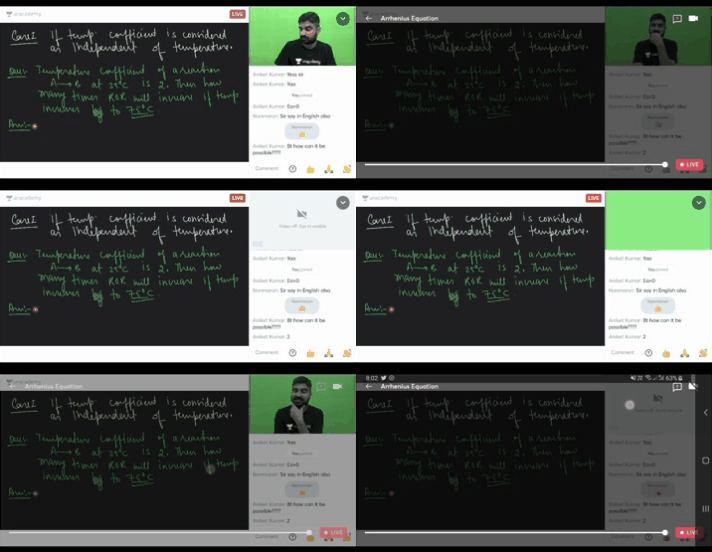
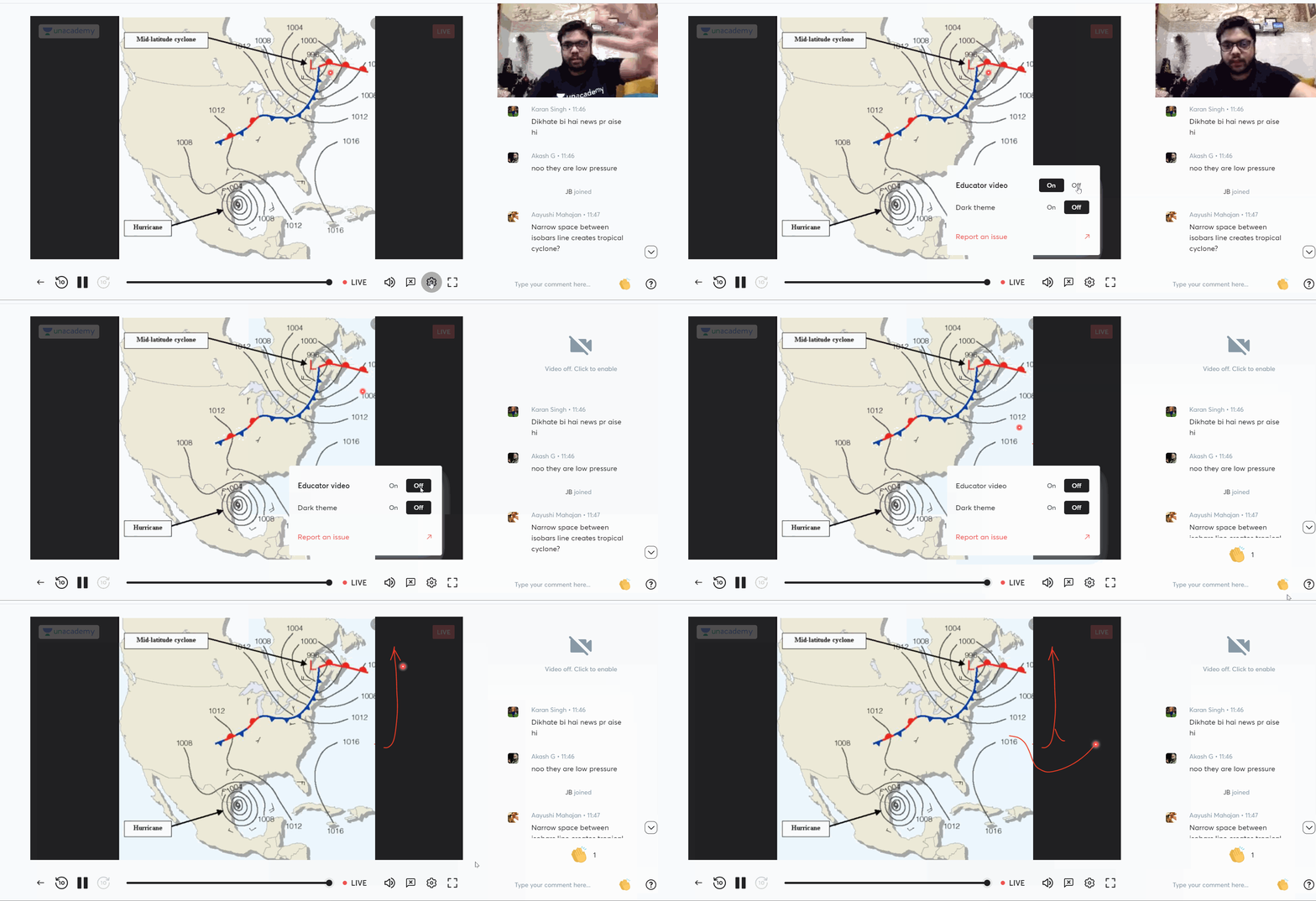
You can disable the video of the educator to reduce buffering. The GIFs provided below showcase how to do the same:
On Mobile App:
Click on your screen and disable the educator video by clicking on the icon at the top right corner.
On Web:
Live Class Screen > Pop Up Bar > Settings Icon > Educator Video - Off
Please note:
- The video quality is auto-adjusted to consume minimum data in a live class.
- It may so happen that the network fluctuation is momentary, you may want to wait for some time and try again to see if the issue persists.
For Recorded Classes:
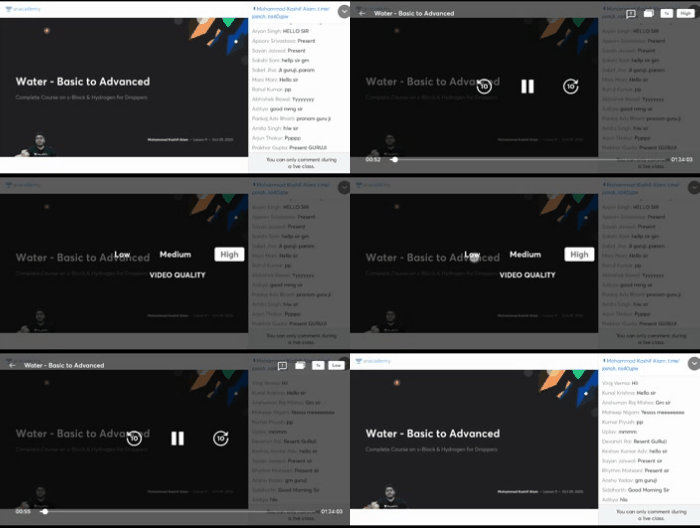
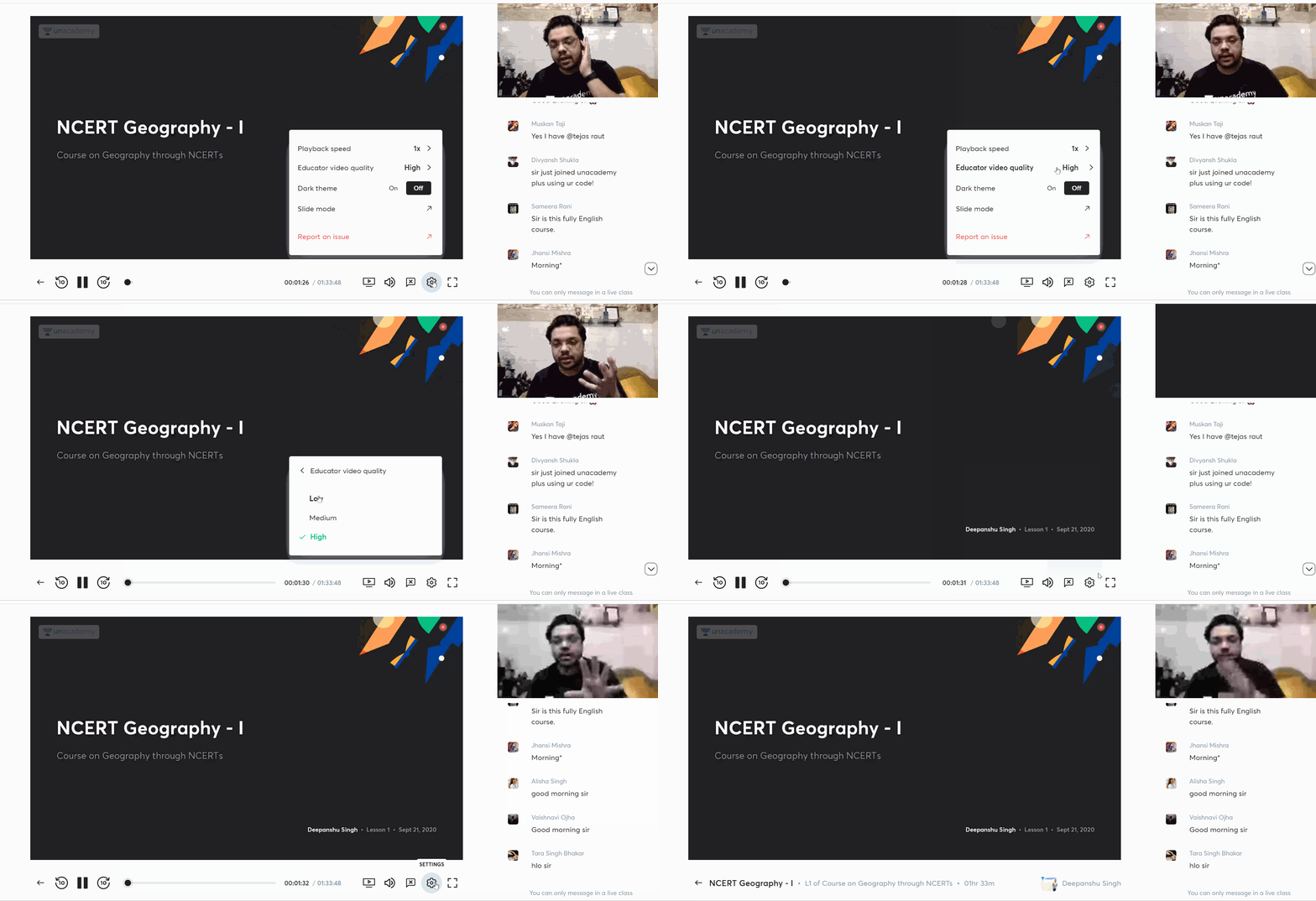
You can reduce the quality of the video to reduce buffering issues. Refer to the below GIFs to see how to do it:
On Mobile App:
Click on Video Screen > Top Right Corner, Click ‘High’ Button > Select ‘Low/Medium’
On Web:
Video Screen > Pop-Up Bar > Settings > Educator Video Quality > Select “Low”
In case the above steps do not work:
Check your mobile app and update to the latest version of Android / iOS through App store.
Make sure your internet connection is stable and has a speed of at least 2 Mbps.