How to receive class reminders over SMS?
To receive SMS class reminders, you will need to enable the settings.
To enable the SMS class reminder settings, please follow the steps mentioned below:
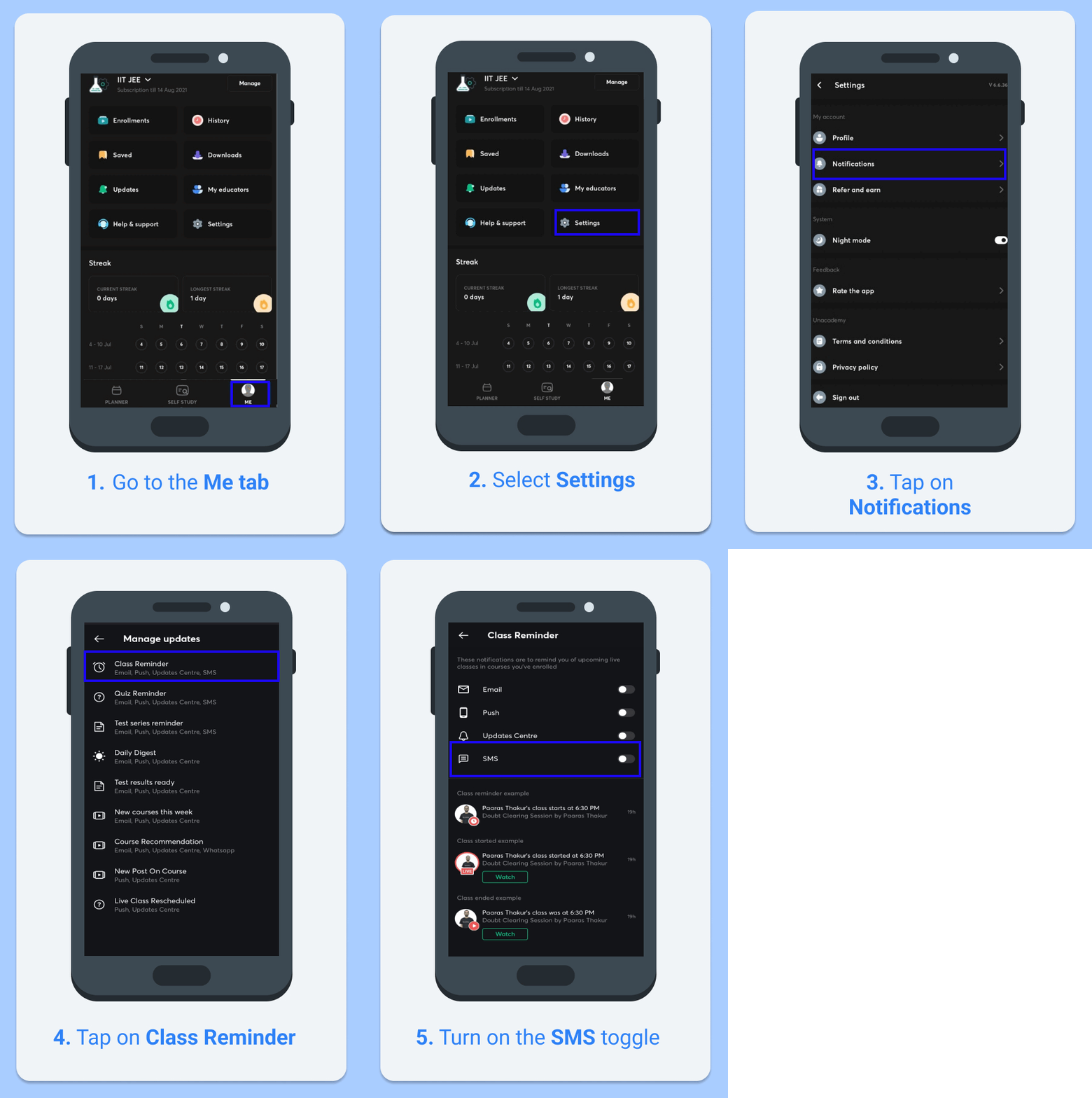
On Unacademy App
- Go to the Me tab
- Now, tap on Settings
- Tap on Notifications
- Now, tap on Class Reminder
- Turn on the SMS notification toggle to start receiving SMS class reminders
Please refer to the GIF for a better understanding.
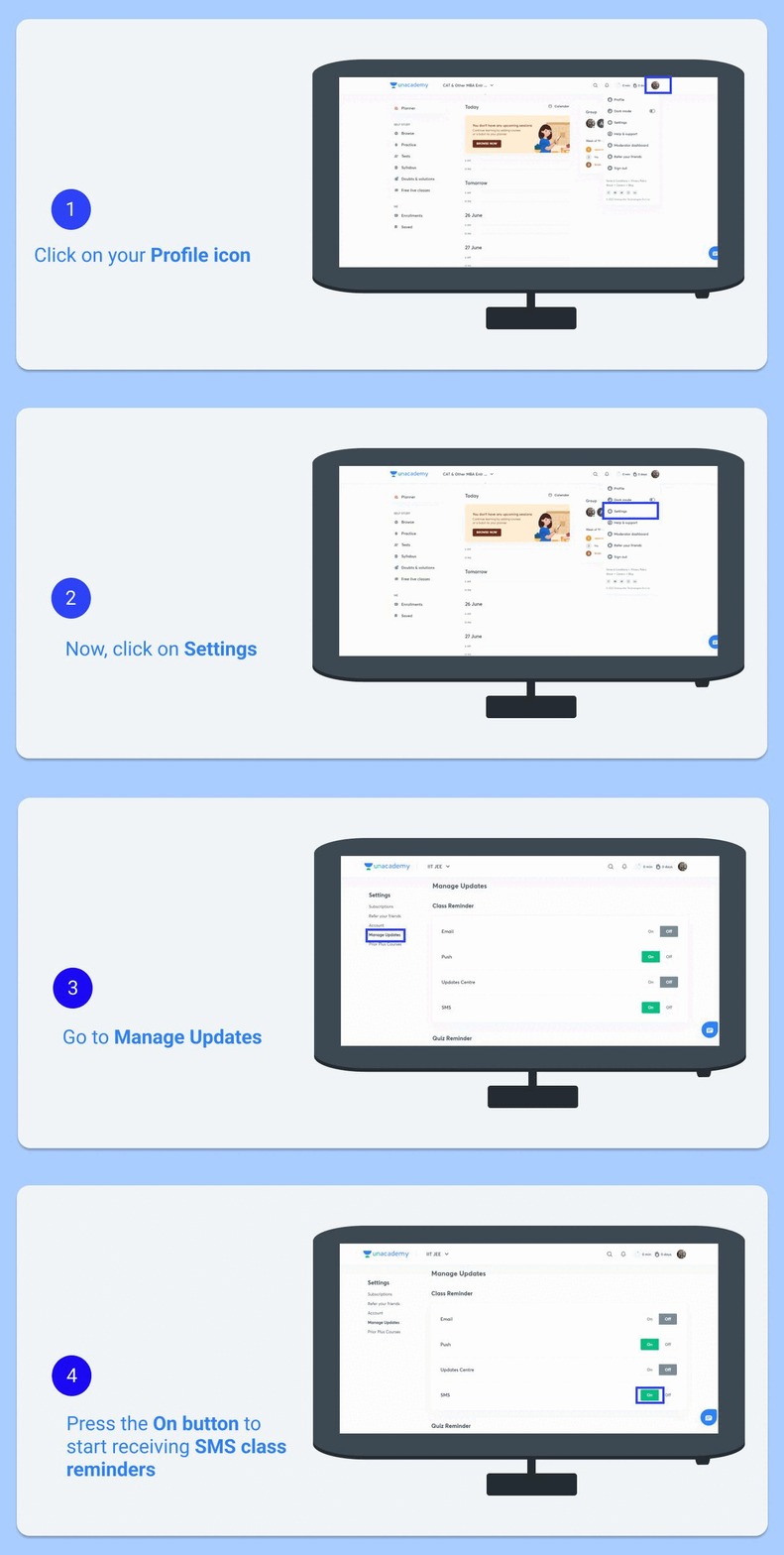
On Unacademy Web
- Go to your Profile icon in the top-right corner of the page
- Now, click on Settings
- Go to Manage Updates
- Press the On button next to SMS to start receiving SMS class reminders
Please refer to the GIF for a better understanding.