Where do I find Test Series?
Tests are a great way to track your learning progress. With the help of Test Series curated by expert Educators, you can now assess your understanding of particular topics and concepts effortlessly!
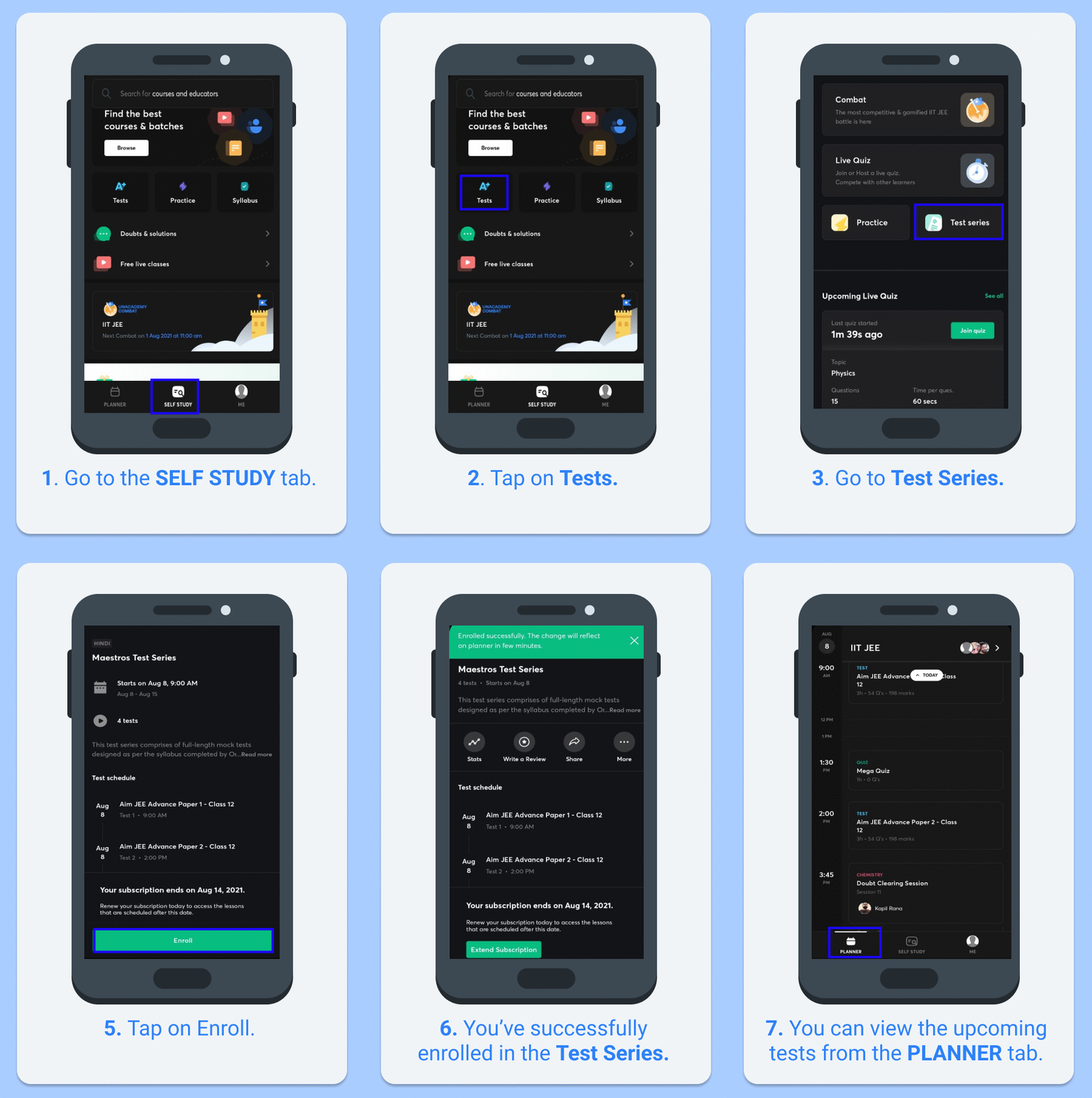
To access Test Series on the app:
1. Go to the Self Study tab.
2. Tap on Tests.
3. Select Test Series.
4. Choose your preferred test from the set of Ongoing, Upcoming, and Completed tests.
Refer to the GIF for a better understanding:
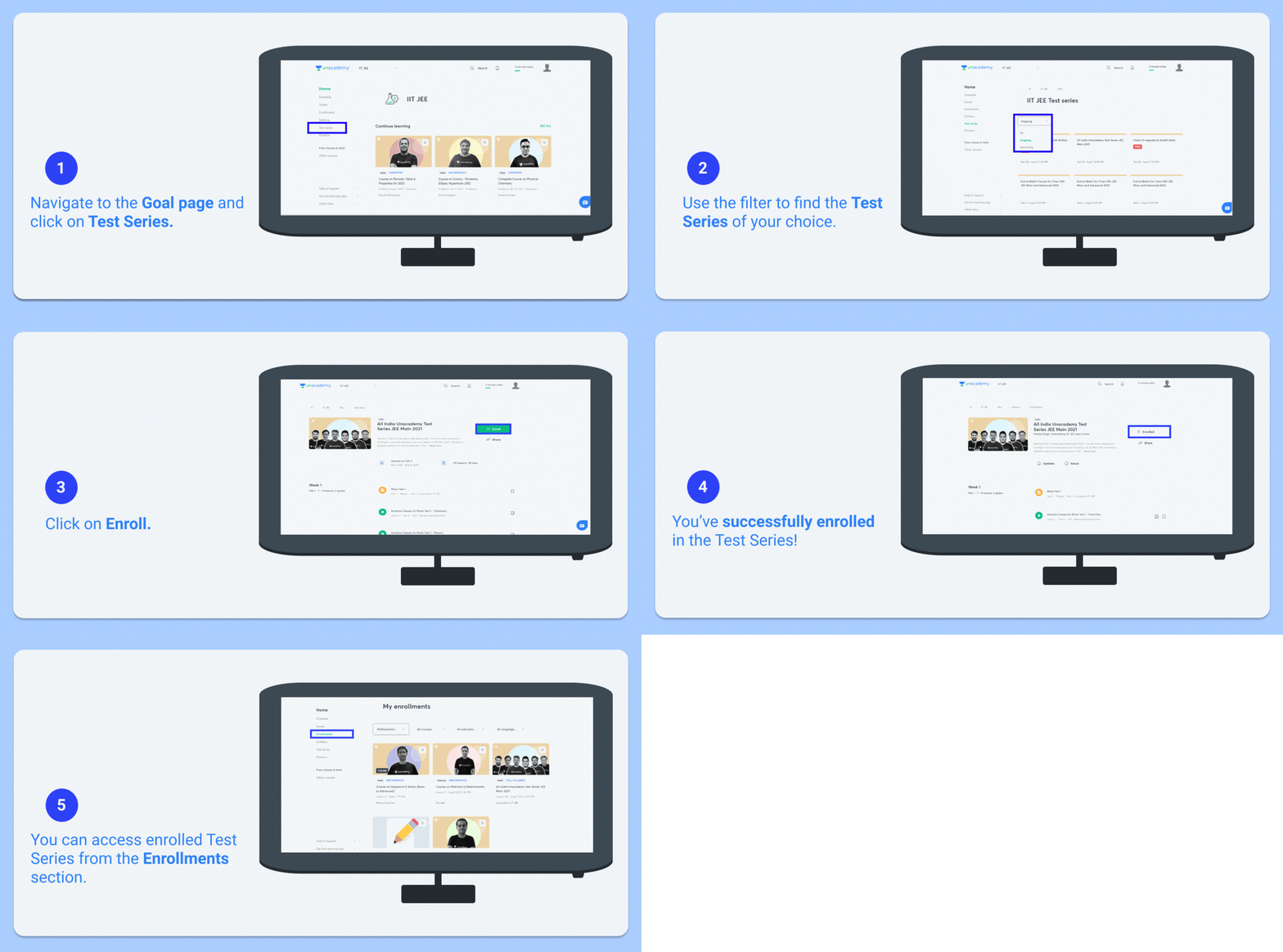
To access Test Series on the web:
1. Go to the Goal page.
2. Click on Test Series.
3. Choose your preferred test from the set of Ongoing, Upcoming, and Completed tests.
Refer to the GIF for a better understanding: